
If you run an e-commerce store, you’ve probably put real effort into your website, product/category pages, and maybe your ads. Your Google Business Profile is likely an afterthought.
Specifically, the Products section inside it.
So should you bother? The short answer is yes but as a supporting optimisation, not something you’d prioritise over the fundamentals.
Table of content
- What Are Google Business Profile Products?
- Getting Listed vs. Selling on Google
- The Biggest Benefit Isn’t SEO
- When It’s Worth Your Time
- Can an E-Commerce Business Have a Google Business Profile?
- When It’s Probably Not Worth Your Time
- Does It Help Rankings?
- How to Add Products to Your Google Business Profile
- Strategic Merchandising: How to Get Your Products Noticed
- Final Thoughts
What Are Google Business Profile Products?
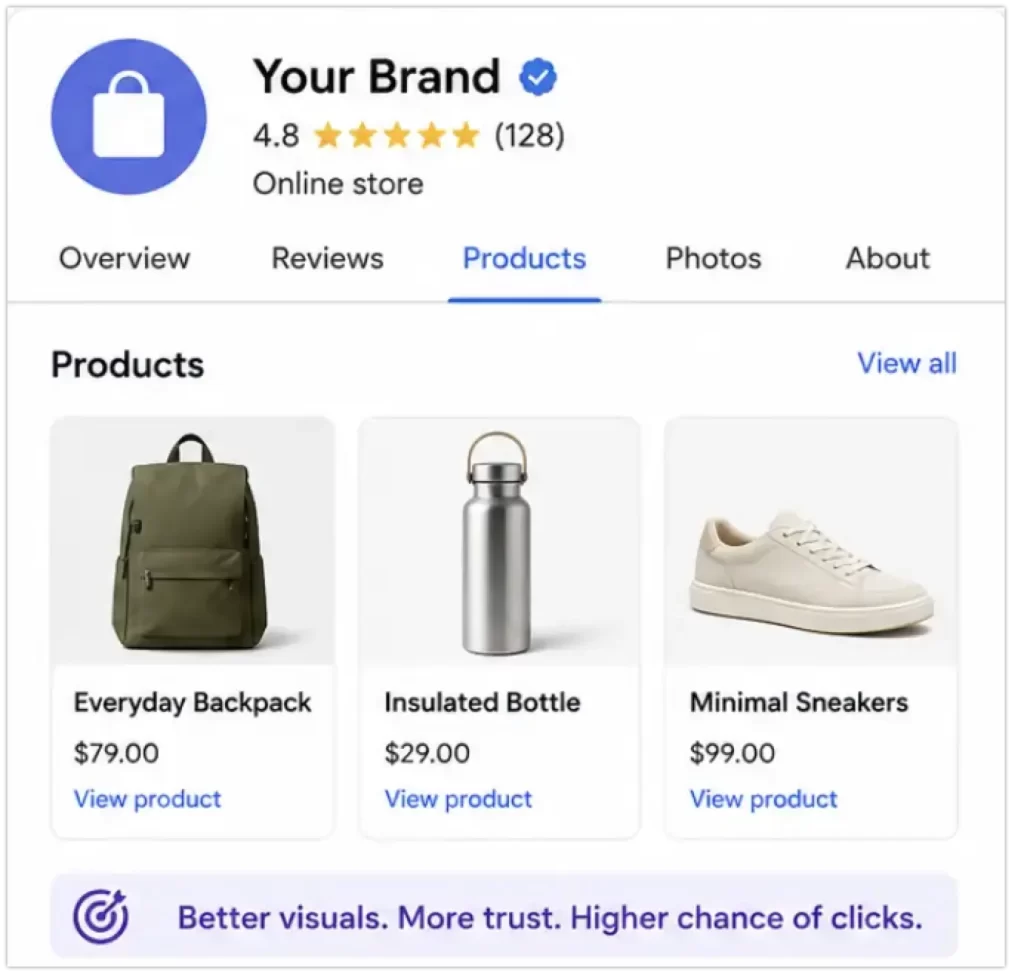
Google lets you manually showcase products directly on your Business Profile, visible when someone searches your brand on Google Search or Maps. You can add images, titles, prices, descriptions, and links through to product pages.
If you have a Google Merchant Center account (which most ecommerce brands do), you can also sync your product feed directly to your profile, useful if you have a larger catalogue and don’t want to add products one by one.
Getting Listed vs. Selling on Google
Before adding anything, you need to understand a major distinction that trips up some e-commerce store owners. There is a huge difference between getting your products to show up on Google’s local features and selling products via Google’s shopping network.
- GBP Products (Local Merchandising): This is a localised visual catalog. It doesn’t process transactions. Its sole purpose is to showcase what you sell to users explicitly looking at your local brand snippet or map listing.
- Google Merchant Center (Global E-Commerce): This is an automated feed that gets your products listed on the Google Shopping Tab and standard global organic search results. This is how you actually “sell on Google” at scale.
The Takeaway: Filling out your GBP products section will not automatically put your inventory into global Google Shopping results. It only populates your local map/search knowledge panel.
The Biggest Benefit Isn’t SEO
This isn’t a hidden rankings hack. The real value is a better branded search experience. One that builds trust, looks professional, and can improve click-through rates.
When someone searches your brand and immediately sees products, pricing, and visuals, it creates a stronger first impression. That matters especially for smaller or newer brands still building recognition.
When It’s Worth Your Time
This tends to work best for businesses where visual products drive buying intent:
- Local D2C brands
- Fashion, apparel, and jewelry
- Furniture and home decor
- Gift shops
- Franchise networks and multi-location chains (where showcasing local, branch-specific inventory matters)
- Any e-commerce brand with a physical showroom, storefront, or click-and-collect option
If someone can search your brand name and immediately see exactly what you sell and what it looks like, that’s a genuine conversion asset.
Can an E-Commerce Business Have a Google Business Profile?
If you browse SEO forums, you’ll see a lot of advice telling online store owners to set up a profile, hide their home address, and list themselves as a Service Area Business.
Don’t do this.
According to Google’s official eligibility guidelines, purely online-only e-commerce brands are explicitly ineligible for a Google Business Profile. To qualify for a profile, your business must involve direct, face-to-face interactions with customers. This means you either need a physical storefront where customers visit you, or you must physically travel to deliver services to them locally.
If you try to bypass this rule using a virtual office, a P.O. Box, or a fake service area, Google will eventually flag and suspend your profile.
The exception here is if your e-commerce brand operates under a hybrid model. If you have a physical retail showroom, an office that accepts local click-and-collect orders, or a warehouse where customers can pick up inventory in person, you meet the criteria. But if you are 100% digital and ship everything via courier, a standard local listing is off-limits.
(Note: Google has rolled out a separate feature called brand profiles inside Google Merchant Center. These are designed specifically for verified online-only e-commerce retailers to control their brand presence globally on Search, but they sit entirely outside the local Google Maps ecosystem. You can check out Google’s official breakdown of the differences to see how eligibility changes.)
When It’s Probably Not Worth Your Time
For pure online-only stores with no local angle, massive catalogues, or dropshipping operations, this is firmly in “nice to have” territory.
Your time is better spent on category and product page SEO, internal linking, technical SEO, and conversion rate optimisation. Adding GBP products won’t move the needle on organic traffic.
Does It Help Rankings?
There’s no strong evidence that it does directly. Indirectly, a more complete and active profile can improve engagement signals and branded clicks.
And in local SEO, profile completeness does carry some weight. But don’t add products expecting a rankings lift.
How to Add Products to Your Google Business Profile
The process is straightforward and takes about 10 minutes once you have your assets ready.
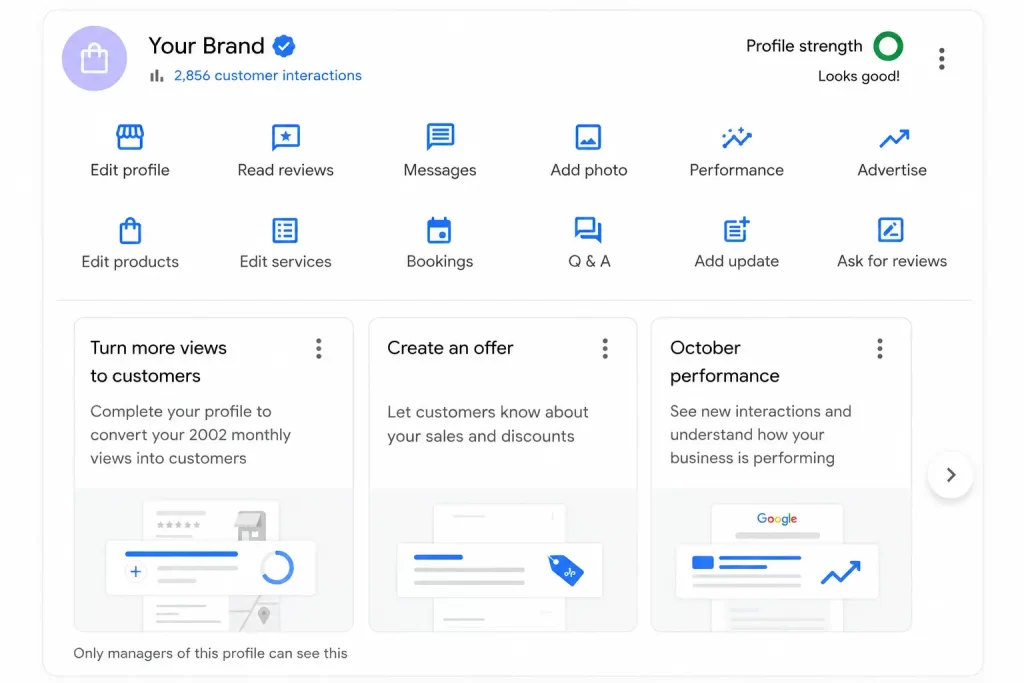
- Sign into the Google account you use to manage your Business Profile
- Search for your business name on Google. This pulls up your Business Profile dashboard directly
- Select “Edit products” from the dashboard menu
- Click “Add product” and fill in the product name, category, description, price, and image
- Add a link to the relevant product page, this creates a CTA button on the listing. Use a UTM link if you want to track clicks in Google Analytics
- Double-check the spelling, pricing, and URL, then hit “Save”
Note: You currently cannot add or edit products through the Google Maps mobile app; you must use the main Google Search interface on a desktop or mobile browser.
Strategic Merchandising: How to Get Your Products Noticed
Don’t just dump your entire catalog onto your profile. To actually get your products noticed and drive clicks, you need a tight merchandising strategy:
- Lead with Best Sellers: Focus exclusively on your top 5–10 best sellers, highest-margin products, or seasonal lines.
- Ditch the Stock Photos: Use clean, high-contrast, real photos of your products. Stock images look generic and get ignored in a local layout.
- Optimise Titles for Intent: Keep titles descriptive but clean. Instead of just naming a product “The Classic Blanket,” name it “Classic Merino Wool Throw Blanket” so it catches the eye of users skimming for specific materials.
Final Thoughts
Adding products to your Google Business Profile won’t transform your ecommerce SEO. But for businesses with any kind of local presence, it’s a worthwhile hour or two of work.
it sharpens your branded search experience, builds trust, and makes your profile look like an active business rather than a placeholder.
So don’t let it jump the queue ahead of the things that actually drive long-term growth.